I have a confession to make -- I hate Powerpoint presentations.
Maybe it is because I have had to sit through so many bad school presentations that when a student or teacher gets up to do a Powerpoint presentation my skin starts to crawl and I look for excuses to leave the room. I think you know what I mean:
- ugly slides
- too many bullet points
- bad graphics
- sound effects
- too many transitions
I could go on and on, but I think you get the point.
So imagine my surprise last month when I was sitting in a class having to watch student presentations on the religion of Islam when a student got up and gave a presentation like I had never seen before...
It was so very cool, the only way to explain it is for you to see it yourself. I immediately got up after the presentation and asked the student what it was. He simply replied - Prezi.
What the crud was Prezi?
I went back to my classroom and looked it up. Sure enough it is a new Web 2.0 website that allows you to make what I call "anti-Powerpoint" presentations. Prezi Website
WORD OF WARNING! Like most new school technology: Prezi is like a superpower, if it gets into the wrong hands it can be used for evil, I have seen Prezi presentations that are so bad they can make the audience car sick. So be careful with it!
To see Prezi in action just watch this TED talk from James Geary on metaphors:
Showing posts with label school technology. Show all posts
Friday, June 4, 2010
School Technology Websites I Like: Prezi
Labels:
21st century skills,
prezi,
school technology,
web 2.0,
websites
Thursday, June 3, 2010
iPad Report - Games and Learning
I should have titled this blog post -- First We Play, Then We Learn.
Yesterday I had the opportunity of sharing my iPad with a group of new middle school students at a summer camp I am teaching. You should have seen the room light up when I took the iPad out of my bag. It was like I held in my hand the Holy Grail itself. The students practically fell down and worshiped it.
I wanted to show them how cool it was and how it was going to change education, things like the iBooks and the great educational apps that I have, but all they wanted to see were the games.
"Show us the games Mr. Flick," they all shouted.
Games!
At first I was sort of ticked about this. I wanted to yell "There is so much more to an iPad than games!" But last night I started to think about what happened...
You see, games are everything to these young pre-teens. They live and breath video games. Knowing this can change how teachers can manage these new school technologies like iPads or other PODs (Personally Owned Devices). One of the greatest classroom management strategies is the "preferred activity" of in other words what the students wish they were doing instead of your lesson. I can imagine with iPads in the classroom a teacher can simply say, "Okay class as soon as you are done the XYZ assignment, and I have checked it, you may have 5 minutes of free time on your iPads." Not only would the work be done fast, but it would also be done right, since the teacher is checking it. Classroom efficiency could skyrocket with the iPad!
So back to my story... I showed them the incredible games that the iPad has and then they could finally focus on the educational apps that I had to show them. It was like I had to prove that there were really good games with really cool graphics before they could sit back and take in the rest of the message.
In the end they really were blown away with all of the things I showed them on my iPad, but I had to first start with games.
My lesson from this is such: when it comes to school technology and students -- learning follows interest, and interest usually follows fun. If we show them how fun something can be, then we have then hooked for learning more about it.
Yesterday I had the opportunity of sharing my iPad with a group of new middle school students at a summer camp I am teaching. You should have seen the room light up when I took the iPad out of my bag. It was like I held in my hand the Holy Grail itself. The students practically fell down and worshiped it.
I wanted to show them how cool it was and how it was going to change education, things like the iBooks and the great educational apps that I have, but all they wanted to see were the games.
"Show us the games Mr. Flick," they all shouted.
Games!
At first I was sort of ticked about this. I wanted to yell "There is so much more to an iPad than games!" But last night I started to think about what happened...
You see, games are everything to these young pre-teens. They live and breath video games. Knowing this can change how teachers can manage these new school technologies like iPads or other PODs (Personally Owned Devices). One of the greatest classroom management strategies is the "preferred activity" of in other words what the students wish they were doing instead of your lesson. I can imagine with iPads in the classroom a teacher can simply say, "Okay class as soon as you are done the XYZ assignment, and I have checked it, you may have 5 minutes of free time on your iPads." Not only would the work be done fast, but it would also be done right, since the teacher is checking it. Classroom efficiency could skyrocket with the iPad!
So back to my story... I showed them the incredible games that the iPad has and then they could finally focus on the educational apps that I had to show them. It was like I had to prove that there were really good games with really cool graphics before they could sit back and take in the rest of the message.
In the end they really were blown away with all of the things I showed them on my iPad, but I had to first start with games.
My lesson from this is such: when it comes to school technology and students -- learning follows interest, and interest usually follows fun. If we show them how fun something can be, then we have then hooked for learning more about it.
Labels:
21st century skills,
iPad,
school technology
Wednesday, June 2, 2010
The Power of USB Microscopes
A few summers ago I was asked to teach at a summer camp for young gifted and talented students. The class I was teaching was CSI, so the students got to play with all sorts of things like evidence and special equipment. I had almost everything I needed to teach the class except a microscope.
I was working with a budget so I knew that I couldn't just go out and get a $1000 school microscope that I was used to having. So in a crunch I went to a local toy store and bought a $70 Digital Blue USB microscope and boy was I shocked when I started to use it.
First off, USB microscopes are way cooler for students to use than those regular laboratory-type ones. This one was light and plastic, with see-through parts so you could see all the insides of the microscope.
Next, the software that runs the microscope is the best part about it. You can turn on the top or bottom light, record video or just take a photo. Try doing that with a regular school microscope.
You can even pop the microscope off the stand and use it on a person's head to check for lice!
I used these features in my CSI class; students had to find certain parts of key evidence and then take a photo and email me a copy of the photo. For example, they had to match dirt found on a victim to six different dirt samples. This little $70 microscope did the job.
The lesson that I learned from this is that school technology does not have to be expensive to be good. It is not always the rule as you get what you pay for. Sometimes the best solutions to a school technology problem can be the cheapest.
I was working with a budget so I knew that I couldn't just go out and get a $1000 school microscope that I was used to having. So in a crunch I went to a local toy store and bought a $70 Digital Blue USB microscope and boy was I shocked when I started to use it.
First off, USB microscopes are way cooler for students to use than those regular laboratory-type ones. This one was light and plastic, with see-through parts so you could see all the insides of the microscope.
Next, the software that runs the microscope is the best part about it. You can turn on the top or bottom light, record video or just take a photo. Try doing that with a regular school microscope.
You can even pop the microscope off the stand and use it on a person's head to check for lice!
I used these features in my CSI class; students had to find certain parts of key evidence and then take a photo and email me a copy of the photo. For example, they had to match dirt found on a victim to six different dirt samples. This little $70 microscope did the job.
The lesson that I learned from this is that school technology does not have to be expensive to be good. It is not always the rule as you get what you pay for. Sometimes the best solutions to a school technology problem can be the cheapest.
Tuesday, June 1, 2010
Students With Cameras
One day when I was sitting through student presentations where the students were showing photographs of themselves taken by their parents and themselves, I kept thinking that students can take better photos than these (so could parents for that matter). So starting in the third grade I began teaching the basics of digital photography.
I did this mostly for selfish reasons; I did not want to sit through another presentation filled with bad photos. You know the ones...
- out of focus
- bad lighting
- bad layout
- bad anything else
It was like I blogged weeks ago about students and school technology; "Just because a student owns technology, it does not mean that they know how to properly use it." Besides, it gave me a chance to teach the 21st Century Skill of creativity.
So I sat my students down and taught them how to take proper photos, passed out the cameras and instructed them to stay in my computer lab and practice what they had just learned. We then went through their photos, instructed them how to improve and then tried it again and again until they got it right. Just like a teacher would do with a new math concept, but in this case a tech concept.
Here is what I got from 4th and 5th grade students...
Surprised?
Remember, students can do incredible things if we just ask them to and hold them to a standard of quality that has been expected in their other subjects like reading, writing and math. If we don't allow students to write poorly then why do we allow them to use school technology poorly?
I did this mostly for selfish reasons; I did not want to sit through another presentation filled with bad photos. You know the ones...
- out of focus
- bad lighting
- bad layout
- bad anything else
It was like I blogged weeks ago about students and school technology; "Just because a student owns technology, it does not mean that they know how to properly use it." Besides, it gave me a chance to teach the 21st Century Skill of creativity.
So I sat my students down and taught them how to take proper photos, passed out the cameras and instructed them to stay in my computer lab and practice what they had just learned. We then went through their photos, instructed them how to improve and then tried it again and again until they got it right. Just like a teacher would do with a new math concept, but in this case a tech concept.
Here is what I got from 4th and 5th grade students...
Surprised?
Remember, students can do incredible things if we just ask them to and hold them to a standard of quality that has been expected in their other subjects like reading, writing and math. If we don't allow students to write poorly then why do we allow them to use school technology poorly?
Labels:
21st century skills,
camera,
photography,
school technology
Monday, May 31, 2010
The Roadblock with Critical Thinking
I remember the first time I set up a LEGO robotics lab in a middle school and how surprised we were with our initial results...
Before setting up the robotics lab we had agreed to the 21st Century Skills that we wanted the students to learn. Skills like; creativity, innovation, collaboration and above all critical thinking. We spent thousands on converting an old wood-working shop to be an new state-of-art LEGO lab. In one end of the lab we set up a viewing area where we could watch the students work -- so we kind of turned the students into little lab rats. Each class would have 20 students for a quarter so we could let every 7th grade student take the class.
The students were excited about the new robotics program and rushed into the lab on the first day to start learning how to build and program the little robots. After weeks of learning the skills it was now time for students to solve the challenges that were in the testing area of the lab. Some were simple and others were really hard challenges. I think the students at one time thought we were the evil scientists playing some sort of sick game.
The first day of the challenges was hard, most students through up their hands in frustration. They would ask where the program and designs for the robots to solve these challenges? We explained that they were none, they had to design and program their robot from the skills they have learned over the past few weeks.
What? No answer key! Imagine the possibilities!
I remember one challenge in particular, student had to back their robot into a garage and then drive out and select the red ball, not the blue, and drive back to the starting point.
After the first quarter of students not one challenge had been completed and most of the students left the program discouraged by the challenges. At first we thought that we had made a terrible mistake with these young students and we thought about changing the class and giving them the answers to the challenges. But we thought we would let it remain the same for the year and see what happens.
However, at the end of the second quarter something magical started to happen. A group of the students had completed 3 of the 5 challenges. It was like a little dam in their brains was starting to crack. These challenges were possible to complete.
By the end of the third quarter all the groups had completed all of the challenges and were now competing for fastest times.
At the end of the last quarter, the students were complaining that the challenges were not hard enough.
So what was the difference between the first and last group of students?
The number of classes was the same, the lessons and challenges were the same. The difference was in critical thinking, the first group had never had to use this skill before and it was tough for them to imagine completing the challenges, which taught us adults an important lesson about teaching students critical thinking skills, you must teach them to imagine and that all tasks are solvable, nothing is impossible.
Einstein theorized the laser 60 years before it was invented.
We need to remember when introducing new school technology that our students can do amazing things if we just give them the chance and the PUSH they need.
As adults we are just as guilty...
"5th graders can not make movies."
"14 year-olds cannot develop iPod apps."
"2nd graders should not blog"
Shall I go on?
Go ahead, jump in the deep end of school technology and students, you might just be surprised at what you might see.
Before setting up the robotics lab we had agreed to the 21st Century Skills that we wanted the students to learn. Skills like; creativity, innovation, collaboration and above all critical thinking. We spent thousands on converting an old wood-working shop to be an new state-of-art LEGO lab. In one end of the lab we set up a viewing area where we could watch the students work -- so we kind of turned the students into little lab rats. Each class would have 20 students for a quarter so we could let every 7th grade student take the class.
The students were excited about the new robotics program and rushed into the lab on the first day to start learning how to build and program the little robots. After weeks of learning the skills it was now time for students to solve the challenges that were in the testing area of the lab. Some were simple and others were really hard challenges. I think the students at one time thought we were the evil scientists playing some sort of sick game.
The first day of the challenges was hard, most students through up their hands in frustration. They would ask where the program and designs for the robots to solve these challenges? We explained that they were none, they had to design and program their robot from the skills they have learned over the past few weeks.
What? No answer key! Imagine the possibilities!
I remember one challenge in particular, student had to back their robot into a garage and then drive out and select the red ball, not the blue, and drive back to the starting point.
After the first quarter of students not one challenge had been completed and most of the students left the program discouraged by the challenges. At first we thought that we had made a terrible mistake with these young students and we thought about changing the class and giving them the answers to the challenges. But we thought we would let it remain the same for the year and see what happens.
However, at the end of the second quarter something magical started to happen. A group of the students had completed 3 of the 5 challenges. It was like a little dam in their brains was starting to crack. These challenges were possible to complete.
By the end of the third quarter all the groups had completed all of the challenges and were now competing for fastest times.
At the end of the last quarter, the students were complaining that the challenges were not hard enough.
So what was the difference between the first and last group of students?
The number of classes was the same, the lessons and challenges were the same. The difference was in critical thinking, the first group had never had to use this skill before and it was tough for them to imagine completing the challenges, which taught us adults an important lesson about teaching students critical thinking skills, you must teach them to imagine and that all tasks are solvable, nothing is impossible.
Einstein theorized the laser 60 years before it was invented.
We need to remember when introducing new school technology that our students can do amazing things if we just give them the chance and the PUSH they need.
As adults we are just as guilty...
"5th graders can not make movies."
"14 year-olds cannot develop iPod apps."
"2nd graders should not blog"
Shall I go on?
Go ahead, jump in the deep end of school technology and students, you might just be surprised at what you might see.
Labels:
21st century skills,
Lego,
school technology
Sunday, May 30, 2010
The School Technology Podcast - Episode 002
Here is my most recent podcast, this one is about my opinions on Internet or Cyber Safety.
Go to my podcasting page
Friday, May 28, 2010
School Technology Future - Looking Back
On Wednesday I attended the graduation of the kindergarten students in my school. The kids were all dressed up and we watched a slideshow of their past year in school and most parents cried.
Meanwhile, there I was thinking about their future.
These students will graduate in the year 2022 and we have no idea what their future will look like, which is why 21st Century Skills are so important. I don't know what school technology will look like in 12 years, let alone what jobs and careers there will be for these young students.
Then I started to think back 12 years ago -- about thing we use everyday today that were not even invented when today's high school graduates were in kindergarten (1998). Things like...
DVDs - we were still using VHS tapes.
Broadband Internet - all we had was dial-up.
GPS Navigation - we used an Atlas that was usually lost in the trunk of our car.
iPod / iPhone - cell phones didn't even have cameras on them yet.
Google - although it was being worked on, most people used Yahoo and Netscape.
WiFi - again, all we had was dial-up.
Get the point?
This was just off the top of my head. Wow! How the world has changed.
Which is why I do not chase technology in my tech class, instead, I focus on skills. Skills like creativity and innovation are timeless and do not expire. Teaching a child to be creative and innovative will get them employed no matter what the latest technology is. Which is why you will hear me say over and over again in my workshops that we need to teach skills and not technology.
Meanwhile, there I was thinking about their future.
These students will graduate in the year 2022 and we have no idea what their future will look like, which is why 21st Century Skills are so important. I don't know what school technology will look like in 12 years, let alone what jobs and careers there will be for these young students.
Then I started to think back 12 years ago -- about thing we use everyday today that were not even invented when today's high school graduates were in kindergarten (1998). Things like...
DVDs - we were still using VHS tapes.
Broadband Internet - all we had was dial-up.
GPS Navigation - we used an Atlas that was usually lost in the trunk of our car.
iPod / iPhone - cell phones didn't even have cameras on them yet.
Google - although it was being worked on, most people used Yahoo and Netscape.
WiFi - again, all we had was dial-up.
Get the point?
This was just off the top of my head. Wow! How the world has changed.
Which is why I do not chase technology in my tech class, instead, I focus on skills. Skills like creativity and innovation are timeless and do not expire. Teaching a child to be creative and innovative will get them employed no matter what the latest technology is. Which is why you will hear me say over and over again in my workshops that we need to teach skills and not technology.
Thursday, May 27, 2010
The Problem with PODs
Yesterday I talked about using student's Personally Owned Devices (PODs) in schools and how great it is to have students use their own technology instead of schools having to buy it for them. Today I want to talk about the down side of this idea.
When I spoke about this idea in Florida this past January there were a few hecklers in the crowd (most of them from IT). Most of their questions revolved around getting sued.
Here were their concerns and my answers.
Damage: "What happens if a student breaks one of these PODs at school, or it gets stolen?"
My 14 year-old son takes a $200 graphing calculator to school everyday and no one expects the school to buy him a new one if it gets broken or stolen. I don't think we should expect anything different from a $300 iPod Touch or an iPad.
Bad Things: "What if the student has something bad on their POD, like naughty pictures that they downloaded at home and now are showing them at school?"
What would we do if a student had a pencil and drew a naughty picture? Or, what would we do if a student brought a printed picture of something inappropriate to school? We would send them to the office and they would get into trouble. Same thing with PODs. What I think the root of this concern is that by law students need to use "filtered" Internet at school, but their Internet might not be filtered at home so schools worry they could get into trouble. We are only responsible for the Internet AT SCHOOL. Let's compare this to books; at school we make sure students have appropriate books to read but we have no control over what they might have access to once they leave our building.
Viruses: "A student could very easily and accidentally bring in a virus that could take out the entire school's network."
The answer to this one is easy. Don't let them onto the school's network. The only thing that PODs should be able to get on to is the Internet. Have them store everything in the cloud and not on your school servers.
Games: "If we allow PODs they will just play games on them every chance they get."
Again, back to the pencil and paper -- we don't allow student to play tic-tac-to every chance they get, the same would go for PODs. NO GAMES DURING WORK TIME. Instead use games as a motivator, once the student's work is done and approved, then they can have a little free time. You would be surprised at how much more work will get done in our schools.
The bottom line is that PODs are coming wether we like it or not they are the new school technology that could save our budgets. So at least we should prepare ourselves by being ready with policies and practices for when they do come.
When I spoke about this idea in Florida this past January there were a few hecklers in the crowd (most of them from IT). Most of their questions revolved around getting sued.
Here were their concerns and my answers.
Damage: "What happens if a student breaks one of these PODs at school, or it gets stolen?"
My 14 year-old son takes a $200 graphing calculator to school everyday and no one expects the school to buy him a new one if it gets broken or stolen. I don't think we should expect anything different from a $300 iPod Touch or an iPad.
Bad Things: "What if the student has something bad on their POD, like naughty pictures that they downloaded at home and now are showing them at school?"
What would we do if a student had a pencil and drew a naughty picture? Or, what would we do if a student brought a printed picture of something inappropriate to school? We would send them to the office and they would get into trouble. Same thing with PODs. What I think the root of this concern is that by law students need to use "filtered" Internet at school, but their Internet might not be filtered at home so schools worry they could get into trouble. We are only responsible for the Internet AT SCHOOL. Let's compare this to books; at school we make sure students have appropriate books to read but we have no control over what they might have access to once they leave our building.
Viruses: "A student could very easily and accidentally bring in a virus that could take out the entire school's network."
The answer to this one is easy. Don't let them onto the school's network. The only thing that PODs should be able to get on to is the Internet. Have them store everything in the cloud and not on your school servers.
Games: "If we allow PODs they will just play games on them every chance they get."
Again, back to the pencil and paper -- we don't allow student to play tic-tac-to every chance they get, the same would go for PODs. NO GAMES DURING WORK TIME. Instead use games as a motivator, once the student's work is done and approved, then they can have a little free time. You would be surprised at how much more work will get done in our schools.
The bottom line is that PODs are coming wether we like it or not they are the new school technology that could save our budgets. So at least we should prepare ourselves by being ready with policies and practices for when they do come.
Labels:
21st century skills,
PODs,
school technology
Wednesday, May 26, 2010
The Future of School Technology is PODs
I believe the future of school technology will be in Personally Owned Devices or PODs. This has actually been brewing for decades, but now is finally the time when it is ready.
Let me start with a quick history lesson: back when the idea of public education for children came about, school always had more "stuff" than individual homes. Stuff like books and things, a home would only have a few books, where as a school could have thousands.
Remember when computers got started? They were the size of rooms and were housed at some of the country's greatest schools and universities. Students would sign up to take computer science classes and share these big mammoth machines that cost millions to own.
Everyone was happy
But something quietly started to happen in the eighties...
Back in the mid eighties was the start of the personal computer revolution, suddenly students went home to "stuff" better than their school had. Students would use a computer at school that could barely do simple math but go home and play on their Commodore 64, my friend even had a Texas Instrument computer that could talk!
The problem was that we couldn't exactly take our computers to school. So schools were safe and sound with their antiquated computers and we just accepted it. Until the iPod Touch...
The iPod Touch changed everything. Now students had the Internet and over 100,000 apps in their pocket and a revolution is now waiting in the wings. Now that students can take their computers to school in their pocket what are we going to do about it?
Smart school districts have started to embrace this knowing that it helps their bottom line. Think about it: why buy students computers when they already own them (PODs) and are willing to bring them to school. Just give them some filtered WiFi, have them sign a contract and Shazam! they're happy.
Tomorrow I will talk about some obstacles to this ideas of PODs.
Let me start with a quick history lesson: back when the idea of public education for children came about, school always had more "stuff" than individual homes. Stuff like books and things, a home would only have a few books, where as a school could have thousands.
Remember when computers got started? They were the size of rooms and were housed at some of the country's greatest schools and universities. Students would sign up to take computer science classes and share these big mammoth machines that cost millions to own.
Everyone was happy
But something quietly started to happen in the eighties...
Back in the mid eighties was the start of the personal computer revolution, suddenly students went home to "stuff" better than their school had. Students would use a computer at school that could barely do simple math but go home and play on their Commodore 64, my friend even had a Texas Instrument computer that could talk!
The problem was that we couldn't exactly take our computers to school. So schools were safe and sound with their antiquated computers and we just accepted it. Until the iPod Touch...
The iPod Touch changed everything. Now students had the Internet and over 100,000 apps in their pocket and a revolution is now waiting in the wings. Now that students can take their computers to school in their pocket what are we going to do about it?
Smart school districts have started to embrace this knowing that it helps their bottom line. Think about it: why buy students computers when they already own them (PODs) and are willing to bring them to school. Just give them some filtered WiFi, have them sign a contract and Shazam! they're happy.
Tomorrow I will talk about some obstacles to this ideas of PODs.
Tuesday, May 25, 2010
Look into my crystal ball of school technology.
Often when I work with school districts someone will inevitably ask me to predict the future of school technology. "What's going to be the next big thing?" They ask like I have a crystal ball that I can just look into and figure out where districts should spend their technology money. The truth is I don't, but I do live and breath school technology so I guess it is a fair question.
So here is my list what a standard 21st Century Classroom should have:
Hardware:
1) Interactive whiteboards paired with LCD projectors. The projectors should be permanently mounted to avoid damage and the annoyance of always having to align the interactive whiteboard. More and more teachers are getting these every year and lessons are slowly getting converted over to embrace this technology.
2) Document cameras go right along with number 1 since you should already have a LCD projector. Teachers hate giving up their old overhead projectors at first but then after a few months they love, yes love, their document cameras -- because you can put practically everything underneath it: calculators, books, dissected frogs, you name it.
3) Classroom sound systems, hopefully the days of little back-row-Sally not being able to hear her teacher are coming to an end. Since so much of what happens in a classroom is auditory, like the teacher talking, watching a video, listening to music, etc. we need to make sure every student has a fair chance of hearing what is going on.
Software:
1) Go Web 2.0 whenever possible, if there is a choice between a math CD or a math website -- go with the website every time.
2) Online professional development, pay for a good quality company like AtomicLearning.com and reap the benefits of not having to sit down and train each and every teacher individually, let the online PD do it for you. Let's say your teachers are struggling with how to create their first podcast, all you do is assign a few online lessons and check back in a few weeks to see how their podcasting went. You can't expect teachers to use new technology unless you plan on training them how to use it.
That's all for today -- tomorrow I will tell you about some cool future technologies that I see coming over the horizon.
So here is my list what a standard 21st Century Classroom should have:
Hardware:
1) Interactive whiteboards paired with LCD projectors. The projectors should be permanently mounted to avoid damage and the annoyance of always having to align the interactive whiteboard. More and more teachers are getting these every year and lessons are slowly getting converted over to embrace this technology.
2) Document cameras go right along with number 1 since you should already have a LCD projector. Teachers hate giving up their old overhead projectors at first but then after a few months they love, yes love, their document cameras -- because you can put practically everything underneath it: calculators, books, dissected frogs, you name it.
3) Classroom sound systems, hopefully the days of little back-row-Sally not being able to hear her teacher are coming to an end. Since so much of what happens in a classroom is auditory, like the teacher talking, watching a video, listening to music, etc. we need to make sure every student has a fair chance of hearing what is going on.
Software:
1) Go Web 2.0 whenever possible, if there is a choice between a math CD or a math website -- go with the website every time.
2) Online professional development, pay for a good quality company like AtomicLearning.com and reap the benefits of not having to sit down and train each and every teacher individually, let the online PD do it for you. Let's say your teachers are struggling with how to create their first podcast, all you do is assign a few online lessons and check back in a few weeks to see how their podcasting went. You can't expect teachers to use new technology unless you plan on training them how to use it.
That's all for today -- tomorrow I will tell you about some cool future technologies that I see coming over the horizon.
Monday, May 24, 2010
The School Technology Podcast - Episode 001
Episode Number One of The School Technology Podcast is done and ready for your enjoyment.
Topics discussed:
The iPad and battery life and printing.
Did the iPad kill the netbook market?
Is Wikipedia so evil?
Click here to go to my PodBean page.
Topics discussed:
The iPad and battery life and printing.
Did the iPad kill the netbook market?
Is Wikipedia so evil?
Click here to go to my PodBean page.
Sunday, May 23, 2010
Teaching with iPads the Movie (Take Two)
Since the quality of the online video last week about teaching with iPads turned out so poorly I decided to shoot it again so that you could see the apps on the iPad screen. I go through a few of the apps that I feel would work great in our schools and classrooms.
Video Number 1
Video Number 2
Video Number 3
Video Number 1
Video Number 2
Video Number 3
Saturday, May 22, 2010
Chasing School Technology
Many times I feel like I am just chasing school technology, an idea that I am never going to catch.
The world of school technology changes everyday so I look for hardware and software that has the longest classroom life possible. If I can get three to four years out of technology I feel successful -- not guilty.
Sometimes I get emails from media/tech people complaining that they had a piece of hardware for only five years and now it needs to be replaced. Or better yet, "We have been using that math software for only ten years."
Come on people! Ten years. This is technology for crying out loud.
Trust me, by the time my hardware or software are getting over three years I am itching to get new.
We need to accept the idea that every time we buy new school technology, we need to budget to replace it in three to four years. For example, let's say your school just dumped $30,000 into new laptops, what are you doing about replacing them in four years? We always need to be thinking about replacing expired technology in our schools, instead of being surprised every time it comes up again.
When I work with administrators about this I usually get them to commit to putting some money aside every year for this very purpose. I ask them to show me what they are doing to keep their school technology fresh and current.
So put your running shoes on and get chasing.
The world of school technology changes everyday so I look for hardware and software that has the longest classroom life possible. If I can get three to four years out of technology I feel successful -- not guilty.
Sometimes I get emails from media/tech people complaining that they had a piece of hardware for only five years and now it needs to be replaced. Or better yet, "We have been using that math software for only ten years."
Come on people! Ten years. This is technology for crying out loud.
Trust me, by the time my hardware or software are getting over three years I am itching to get new.
We need to accept the idea that every time we buy new school technology, we need to budget to replace it in three to four years. For example, let's say your school just dumped $30,000 into new laptops, what are you doing about replacing them in four years? We always need to be thinking about replacing expired technology in our schools, instead of being surprised every time it comes up again.
When I work with administrators about this I usually get them to commit to putting some money aside every year for this very purpose. I ask them to show me what they are doing to keep their school technology fresh and current.
So put your running shoes on and get chasing.
Labels:
administrator,
integration,
school technology
Friday, May 21, 2010
Just Who Is the Teacher Here?
Technology is the one subject being taught in school where the students have the possibility of knowing more than their teachers.
And that scares us.
Can you imagine being a history teacher and suddenly a student puts up their hand, "Mr. Flick, I think that you have your facts wrong about the Civil War."? And if it did happen you would start to re-think your career choice. In all other school subjects there are very defined roles as who is the teacher and who is the student -- something that doesn't exist in teaching the world of school technology.
I get corrected by my students all the time, and thanks to years of therapy, I am finally able to accept it.
As a tech teacher you must always be ready to let one of your student take over and become the teacher, which means you become the student. We can learn so much from our students if we just learn to work with it and not against it.
Case in point: the other day I had to ask a group of 4th grade students; "The Flip video camera is stuck and won't turn off, what's the deal?" Sure enough a student who personally owns one tells me that I unplugged it too soon from my computer and I need to take out the batteries to reset it. Problem solved.
So check your pride at the door and start team teaching with your students -- trust me, you'll like it.
And that scares us.
Can you imagine being a history teacher and suddenly a student puts up their hand, "Mr. Flick, I think that you have your facts wrong about the Civil War."? And if it did happen you would start to re-think your career choice. In all other school subjects there are very defined roles as who is the teacher and who is the student -- something that doesn't exist in teaching the world of school technology.
I get corrected by my students all the time, and thanks to years of therapy, I am finally able to accept it.
As a tech teacher you must always be ready to let one of your student take over and become the teacher, which means you become the student. We can learn so much from our students if we just learn to work with it and not against it.
Case in point: the other day I had to ask a group of 4th grade students; "The Flip video camera is stuck and won't turn off, what's the deal?" Sure enough a student who personally owns one tells me that I unplugged it too soon from my computer and I need to take out the batteries to reset it. Problem solved.
So check your pride at the door and start team teaching with your students -- trust me, you'll like it.
Thursday, May 20, 2010
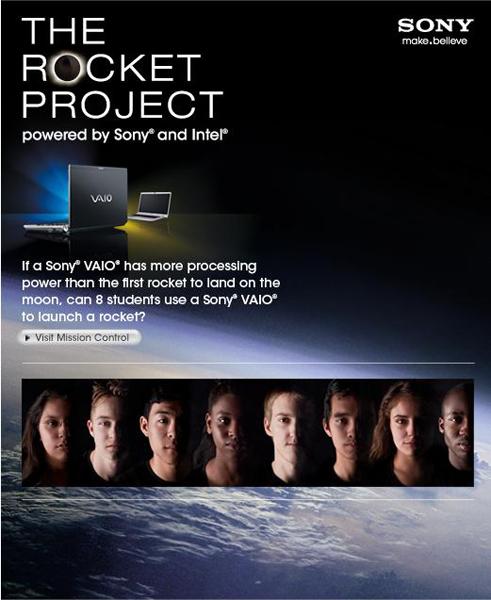
What is the deal with the Sony Rocket Project?
Months ago I saw the ad on YouTube for the Sony Rocket Project and got really excited at the possibility of high school students launching an actual rocket into space. Sure, I could see through the PR campaign by Sony and Intel to prove that their new laptop had the computing power necessary to build and launch a rocket, but high school students putting rockets into space, what's not to like?
So my students and I followed all the blogs and videos anxiously awaiting the day of the launch.
5... 4... 3... 2... 1...
Nothing!
There was a delay due to weather, but I could be patient. But then days turned into weeks and still nothing.
There were weeks without any news, just the post that said that the delay was due to weather. I followed the so-called jet stream trouble and I knew the day that it was no longer over their launch site and still nothing. From what I can understand from the few cryptic posts on the website -- the team has lost the window of opportunity for launch.
Now what?
Well Sony and Intel, good luck digging your way out of this one. It was to be their big launch of the super computer built especially for students and schools. However, they have just learned the biggest lesson when it comes to using school technology -- nothing goes like you plan. So my heart goes out to you. I, like many of you, have been there. So buck up and get that rocket into space.
I still have my fingers crossed for the students, and it you are taking votes...
LIGHT THAT FUSE AND LAUNCH THAT BABY!
So my students and I followed all the blogs and videos anxiously awaiting the day of the launch.
5... 4... 3... 2... 1...
Nothing!
There was a delay due to weather, but I could be patient. But then days turned into weeks and still nothing.
There were weeks without any news, just the post that said that the delay was due to weather. I followed the so-called jet stream trouble and I knew the day that it was no longer over their launch site and still nothing. From what I can understand from the few cryptic posts on the website -- the team has lost the window of opportunity for launch.
Now what?
Well Sony and Intel, good luck digging your way out of this one. It was to be their big launch of the super computer built especially for students and schools. However, they have just learned the biggest lesson when it comes to using school technology -- nothing goes like you plan. So my heart goes out to you. I, like many of you, have been there. So buck up and get that rocket into space.
I still have my fingers crossed for the students, and it you are taking votes...
LIGHT THAT FUSE AND LAUNCH THAT BABY!
Labels:
21st century skills,
school technology,
student
Can't wait for summer.
Like many teachers I look forward to my summers off.
Not that I get to go fishing or things like that. Instead, this is when I get to go around the country and talk about school technology. I usually give about four or five different presentations over and over again as I go from district meeting to convention. And although I love to give presentations, there is something more...
What I like most about my summers are the ideas I get.
For example, last summer when I was speaking about student filmmaking, a had a group of tech and media teachers come up to me after the presentation and we started sharing ideas. Things that I had never considered before. We exchanged contact information and to this day we still follow each other's work. In fact, just this week when I posted the 5th grade movie, I got an email from this new friend of mine telling me about how he showed the video to his middle school students and challenged them: "This is being done by elementary students -- you guys can do better!" Which is almost exactly what I told my students a few months ago. "Come on kids, we can beat these middle schoolers."
I am a big believer in the sharing of information, ideas, lesson plans, etc. Which is why I started this blog, I wanted a place for tech and media teachers to get together and find the best practices and ideas for what we do.
I am planning on blogging all summer, but the format will change slightly -- I am mostly going to be focused on workshops. Everything from claymation to macro digital photography.
And one more thing... if I am in your neck of the woods this summer, make sure to stop by and say hello.
Not that I get to go fishing or things like that. Instead, this is when I get to go around the country and talk about school technology. I usually give about four or five different presentations over and over again as I go from district meeting to convention. And although I love to give presentations, there is something more...
What I like most about my summers are the ideas I get.
For example, last summer when I was speaking about student filmmaking, a had a group of tech and media teachers come up to me after the presentation and we started sharing ideas. Things that I had never considered before. We exchanged contact information and to this day we still follow each other's work. In fact, just this week when I posted the 5th grade movie, I got an email from this new friend of mine telling me about how he showed the video to his middle school students and challenged them: "This is being done by elementary students -- you guys can do better!" Which is almost exactly what I told my students a few months ago. "Come on kids, we can beat these middle schoolers."
I am a big believer in the sharing of information, ideas, lesson plans, etc. Which is why I started this blog, I wanted a place for tech and media teachers to get together and find the best practices and ideas for what we do.
I am planning on blogging all summer, but the format will change slightly -- I am mostly going to be focused on workshops. Everything from claymation to macro digital photography.
And one more thing... if I am in your neck of the woods this summer, make sure to stop by and say hello.
Labels:
21st century skills,
filmmaking,
school technology
Wednesday, May 19, 2010
Teaching with iPads Live
Well my first experience using free Ustream.tv to broadcast my live iPad demonstration was a little hit and miss.
Hit: It was really easy to use. I just logged in and clicked "Start Broadcast" the website found my webcam and microphone and started to broadcast.
Miss: The video quality was really bad, mostly my fault I suspect. I was trying to video a projection screen and my cheap little webcam couldn't make it look good.
Using school technology like live Internet broadcasting is sometimes like this. You try it a little -- learn, and then try it again and try to make it better. I am going to order a better camera and come up with a better system so expect to see better quality in the future.
Thanks for your support.
If you want to watch the recording click on the link below:
http://www.ustream.tv/channel/teaching-with-ipads
Hit: It was really easy to use. I just logged in and clicked "Start Broadcast" the website found my webcam and microphone and started to broadcast.
Miss: The video quality was really bad, mostly my fault I suspect. I was trying to video a projection screen and my cheap little webcam couldn't make it look good.
Using school technology like live Internet broadcasting is sometimes like this. You try it a little -- learn, and then try it again and try to make it better. I am going to order a better camera and come up with a better system so expect to see better quality in the future.
Thanks for your support.
If you want to watch the recording click on the link below:
http://www.ustream.tv/channel/teaching-with-ipads
Tuesday, May 18, 2010
Movie Making with Students
Last week we finally wrapped up shooting of our annual 5th grade movie project. The movie project begins with the students having a story writing competition, I they select the best story and the students make a movie based on the story. This year's movie is based on Bobby E.'s story that involves cookies, zombies, and action. Stats: 3 weeks of shooting makes 2 hours of footage which equals a nine minute movie. Check out the bloopers, they are really funny. Just so we are clear about this -- this movie 100% student produced. The only thing done by an adult is the editing.
Movie
Bloopers
Movie
Bloopers
Monday, May 17, 2010
Teaching with iPads Demonstration
I will be demonstrating the things that I have learned about using the iPad in schools this Wednesday, May 19th at 4 PM (US Mountain Time). I will use Ustream to broadcast my demonstration so everyone is welcome to check it out. Please email me any questions that you might have before hand.
I will post the exact information that you'll need to watch the Ustream on Wednesday morning.
See you then.
I will post the exact information that you'll need to watch the Ustream on Wednesday morning.
See you then.
No Podcast Today
I know that you were all looking forward to episode number 1 of The School Technology Podcast, but it just didn't work out.
I had Darren Atwood, a high school art and technology teacher, from Alberta, Canada and Kristin Tarnas, a fifth grade teacher from Hawaii all connected and being recorded but I was just not happy with the sound quality. I don't know if it was just the distance between us, or the WiFi, or what.
I am going to make a few phone calls this week to see what I can do to improve things and we'll try again next week.
If any of you out there might be able to help, here are our specs: We were all using MacBooks and iChat. I think we were all on WiFi (which might be the culprit) and I used GarageBand to record it all. The problem was that the audio kept dropping, so part of sentences would be missed.
Thank you for your patience and hopefully you'll be able to hear us next week.
I had Darren Atwood, a high school art and technology teacher, from Alberta, Canada and Kristin Tarnas, a fifth grade teacher from Hawaii all connected and being recorded but I was just not happy with the sound quality. I don't know if it was just the distance between us, or the WiFi, or what.
I am going to make a few phone calls this week to see what I can do to improve things and we'll try again next week.
If any of you out there might be able to help, here are our specs: We were all using MacBooks and iChat. I think we were all on WiFi (which might be the culprit) and I used GarageBand to record it all. The problem was that the audio kept dropping, so part of sentences would be missed.
Thank you for your patience and hopefully you'll be able to hear us next week.